
What is it, and how does it work?
Sigberg Room Setup provides room calibration, subwoofer integration and speaker settings.
With Sigberg Audio Setup, you get full control of all parts of your Sigberg Audio system. No prior knowledge needed. Get excellent sound with auto calibration developed specifically for Sigberg Audio products.
Connect all your units via USB, set up the microphone, and allow Sigberg System Setup to work its magic. It always shows you all the data: The frequency responses of both before, predicted and after.
If you are an expert user, you can apply full-range, manual EQ, either by adjusting the automatic suggestion, or by working from scratch.
As a more casual user, you can apply the automatic calibration, and afterwards easily adjust tonality to your preference.
The same interface also gives you access to all settings of any connected device.
Downloads not available yet, expected release early 2027
Details
What can you do with Sigberg System Setup?
- Run natural sounding, automatic room calibration developed by Sigberg Audio.
- Perform manual EQ, either from scratch or by modifying the automatic calibration.
- Access and adjust all settings of your Sigberg Audio product
Specifications / features
- Up to 18 band EQ per channel (depending on system configuration).
- Auto EQ / calibration developed by Sigberg Audio in collaboration with DEM Audio to ensure a natural, accurate in-room sound.
- The calibration algorithm shows you exactly what it does and allows you to modify the EQ before applying it.
- Adjustable target curve and bass shelf that can be changed on the fly while you listen to music, without re-running the calibration process.
- Shows both predicted and actual, measured results.
- Can be used in fully automatic, fully manual or hybrid mode
- Automatic subwoofer gain and bass level based on target curves specific to each Sigberg Audio product.
- Windows & Mac support
What do I need to run it?
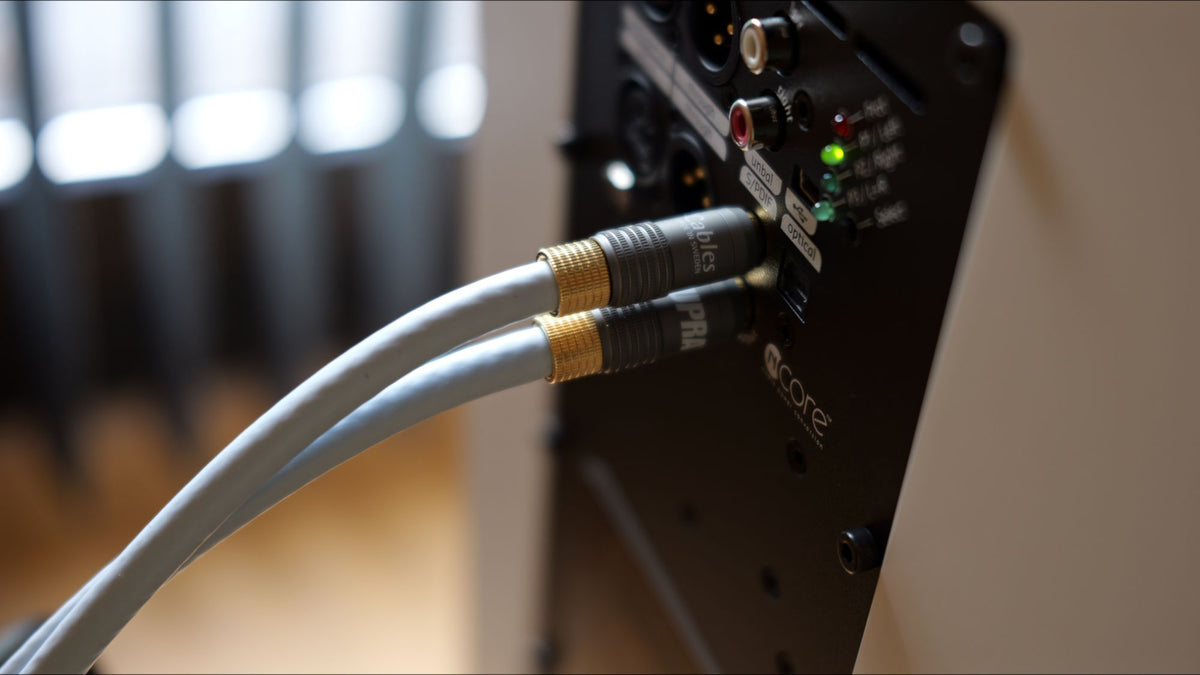
- PC or Mac with at least one 1xUSB-C and1xUSB-A, or 2xUSB-C outputs.
- Your computer also needs an analog audio out like a minijack. You can also use USB audio out if your system/preamp supports that.
- The Sigberg System Setup Calibration kit, or the included contents purchased separately: UMIK-1 or similar calibrated microphone, USB-hub with at least 4 ports, and enough USB cables to connect to all your Sigberg units simultaneously. You also need audio cables (typically minijack->RCA or Minijack->XLR).
- Contact us if you are unsure if you have what you need.
Compatibility
Supported models: Manta, Saranna, SBS Generation 1 (SBS.1), SBS Generation 2, Inkognito Generation 1, Inkognito Generation 2, 10D
Model year 2025 and onwards fully supported.
Model year 2024 with firmware v5.x fully supported.
Model year 2020-2024 with firmware v1.x; best effort support. All features not guaranteed to work.
Download
Windows (link to come, release expected Q1 2027)
Mac (link to come, release expected Q1 2027)

Bass calibration. The Sigberg way.
Sigberg Audio speakers are designed to integrate easily and natural in real rooms. Still, physics dictate that the frequency response in the bass is rarely linear.
This is why the Auto EQ works primarily in the bass range, ensuring punchy, natural bass. The calibration mimics how Thorbjørn Sigberg would have manually EQed the system.
The Auto EQ also automatically adjusts proper gain / bass level - and let's you further tune it to your preference.
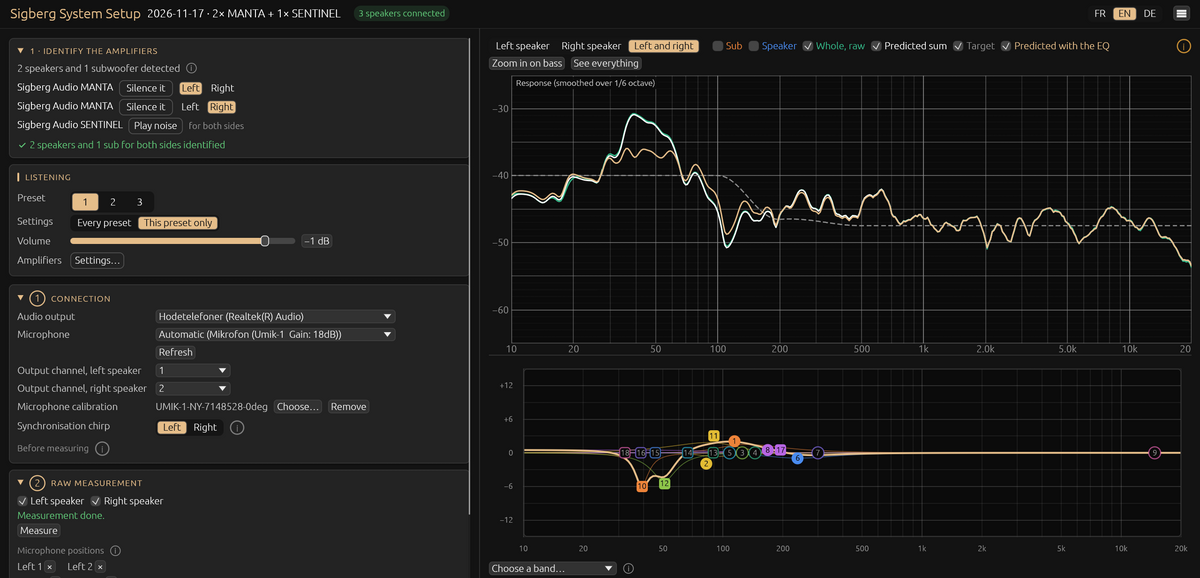
The dashboard for your Sigberg System
Sigberg System Setup follows a logical, intuitive flow, making it easy to dial in your system without prior knowledge.
All your products are automatically identified by the system, and the sound is optimized for your room.
More information coming soon.
Contact Us
Questions about our products, the purchase process, or literally anything else? Use the form below to be contacted by email, or use our chat (lower right corner), and we'll get back to you ASAP!